Showing posts with label OS. Show all posts
Saturday, 8 September 2012
Sunday, 15 April 2012
Mac OSX Snow Leopard 10.6.2 SSE2-SSE3 For Intel-Amd
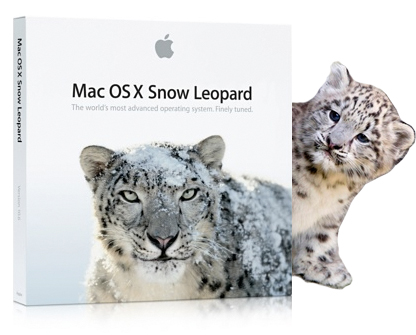
Mac OSX Snow Leopard 10.6.2 SSE2-SSE3 For Intel-Amd | 4.3 GB
Installation of Snow Leopard is dead simple and (according to Apple) up to 45 percent faster than Leopard using a newly designed installer that asks only one question during the process.
On our test machine, the process took about an hour, including two automatic restarts. The default setting installs Snow Leopard without tampering with any of your saved files, music, photos, or documents. Mostly we had no problems, but on one test machine we needed to reinstall the OS when it had trouble rebooting. Fortunately the new installer is designed for safely reinstalling the OS in the event you encounter any hiccups during your initial installation. On our second try, the OS installed perfectly on our test machine and no files were harmed. PowerPC Macs are no longer supported with Snow Leopard, however; you will need an Intel-based Mac to install the latest Mac OS.
Those who want to do a "Clean Install" (starting fresh by deleting everything for minimal conflicts) still can, but unlike installations in previous versions of previous Mac OS X that offered the clean install as a primary option, you'll need to use Disk Utility to first erase the volume, then run the install. Apple explained to us that not everyone knows what a clean install is and often chose it, not knowing that they would lose their files. We're happy with that answer, as long as people still get the option in some form.
Apple also claims that Snow Leopard uses 7GB less space than Leopard because of better file compression paired with selective driver inclusion. According to Apple, Snow Leopard will locate any missing drivers on the Web for you. We had no need of any special drivers during our tests.
New technologies
Apple says a few new technologies in Snow Leopard make it worthy of the upgrade alone, with several features that Apple says will boost performance. Because all new Macs come with 64-bit multicore processors, multiple GBs of RAM, and high-powered graphics processing units, all the major applications in Snow Leopard--including the Finder--have been rewritten in 64-bit to take full advantage of the hardware. (The 64-bit technology allows application developers to allocate more memory to complete tasks so that the software runs faster and more smoothly.)
Apple has also added what it calls the Grand Central Dispatch that manages data sent to multicore processors in an effort to maximize performance; Apple says the GCD will speed up any application task, from processing images in Photoshop to playing your favorite games. The addition of the GCD also takes away the need for software developers to spend as much time managing multicore processors.
Another new technology in Snow Leopard is OpenCL, which allows software developers to tap into the power of any onboard video cards (or GPUs, for graphics processing units) for general-purpose computing without the addition of enormous amounts of code. Like the GCD, these are improvements that will mainly affect software developers. But hopefully it will mean more and better-performing software for users in the future.
To put some of these claims to the test, we decided to pit Mac OS X 10.5.8 Leopard against Mac OS X 10.6 Snow Leopard to see how these new technologies affected overall performance.
In our anecdotal tests of performance within the Snow Leopard user interface (UI), the operating system seems faster and more responsive than with Leopard. Finder, Stacks, Expose, launching apps, and other everyday processes feel snappy. We didn't, however, notice any improvement in application performance.
Overall, we saw only a 2.5 percent slowdown in application performance from Leopard to Snow Leopard on our more processor-intensive performance tests, including our multimedia multitasking test, in which we measure the time for QuickTime to finish converting a short movie while iTunes is performing its own conversion of MP3 into AAC format in the background simultaneously. As this falls within our typical margin of error (5 percent), we saw no significant difference with application performance when moving from Leopard to Snow Leopard
link download
Monday, 19 December 2011
Windows 7 Key
windows 7 key
Windows® 7 Ultimate Product Key:
FJGCP-4DFJD-GJY49-VJBQ7-HYRR2 <<--not valid
342DG-6YJR8-X92GV-V7DCV-P4K27 <<--works
Windows® 7 Professional Product Key:
YKHFT-KW986-GK4PY-FDWYH-7TP9F
VTDC3-WM7HP-XMPMX-K4YQ2-WYGJ8
32KD2-K9CTF-M3DJT-4J3WC-733WD
6RQ9V-6GCG4-8WV2H-966GF-DQ4DW
Windows® 7 Home Premium Product Key:
7JQWQ-K6KWQ-BJD6C-K3YVH-DVQJG
UPDATE :Windows 7 premium
7JQWQ-K6KWQ-BJD6C-K3YVH-DVQJG
RHPQ2-RMFJH-74XYM-BH4JX-XM76F
2QDBX-9T8HR-2QWT6-HCQ XJ-9YQTR
6RBBT-F8VPQ-QCPVQ-KHR B8-RMV82
C6MHH-TRRPT-74TDC- FHRMV-XB88W
27GBM-Y4QQC-JKHXW-D 9W83-FJQKD
38GRR-KMG3D-BTP99-TC9G4 -BBDJJ
CQBVJ-9J697-PWB9R- 4K7W4-2BT4J
Sunday, 25 September 2011
Windows Tiny7 Rev01 Unattended Activated CD
Maximum tail Windows 7 is already activated. Fast installation. Build eXPerience, fits on a regular CD and a very fast and unpretentious to resources.
The latest version of Establishment:
- All services are enabled.
- Folder renaming bug "This item no longer exists" is fixed.
- Wolfenstein 2009 compatibility fixed.
- GTAIV compatibility fixed.
- KMplayer compatibility fixed.
- Hibernation in Windows fixed.
- Devices and Printers opens properly.
- Safely Remove Devices is fixed.
- No migwiz.exe error if you run "Easy Transfer" which is removed.
- No msdt.exe errors (MS Diagnostic Tool, now kept):
Added drivers:
ACPI:
- ATK0110 ACPI Utility
Audio:
- nVidia nForce4 Audio
- SndT Audio
- VIA Vinyl AC'97 Audio Controller (WDM)
- VirtualBox Sound Driver (Intel)
CD-DVD-ROM Drive:
- Mitsumi CD-ROM Drive
Chipset:
- ATI Rage, Fury, Magnum, Xpert, All-In-Wonder (128Mb VGA)
- Intel 82801 6300ESB 82371/2 82440 EHCI 960 631xESB ICH8 ICH9 ICH10
- Intel Turbo Memory
- Mobile Intel PM965, GM965, GL960
Ethernet LAN:
- 3Com 3C905-TX 3C905-T4 3C900-TPO 3C900-COMBO
- 3Com EtherLink 10 100 PCI NIC (3C905-TX)
- Marvell Yukon Ethernet Controller
- Realtek RTL8139 + 810x Family Fast Ethernet NIC
Misc:
- Microsoft iSCSI initiator
- Open VPN
Modem:
- Intel RCA USB Digital Cable Modem Driver
Monitor:
- LG W2242 Monitor
Phone:
- Windows Live Phone
RAID:
- JMicron RAID
SATA:
- Intel SATA AHCI Controller
- Promise FastTrak 376+378 Controller
USB:
- UMBus Root Bus Enumerator
- USB Hubs
Wireless LAN:
- Belkin Wireless G Desktop and Notebook Card
- Intel PRO Wireless 2915ABG Network Adapter
- Libertas 802.11 Wireless
- Linksys Wireless-G PCI Adapter
- Marvell Libertas EAP
- Ralink RT61 Turbo Wireless LAN Card
QuickList components:
Accessories:
- Accessibility
- Character Map
- Disk Cleanup
- Game Explorer
- Mobility Center
- Notepad
- Paint
- Snipping Tool
- System Information
- Welcome Center
- Windows Gadgets
- Wordpad
Drivers:
- Modems
- QLogic Fibre Channel Adapter
- Storage controllers
- TV Tuners
Hardware Support:
- Dynamic Volume Manager
- Fax Support
- Firewire (1394)
- Floppy Disk Support
- Infrared Support
- Internet Small Computer System Interface (iSCSI)
- Microsoft Multi-Path Bus
- Modem Support
- Printer Support
- Smartcards
- TV Tuner support
- Windows HotStart
- Windows Image Acquisition
- Windows Portable Devices
- WLAN Support
- XBOX 360 Controller
Languages:
- Arabic
- Brazillian
- Bulgarian
- Croatian
- Czech
- Danish
- Dutch
- Estonian
- Finnish
- French
- German
- Greek
- Hebrew
- Hungarian
- Italian
- Latvian
- Lithuanian
- Norwegian
- Polish
- Portuguese
- Romanian
- Russian
- Serbian
- Slovak
- Slovenian
- Spanish
- Swedish
- Thai
- Turkish
- Ukrainian
Multimedia:
- Intel Indeo
- Media Metadata Handler
- Photo Metadata Handler
- Shell event sounds
- SideShow
- Sound Recorder
- Windows Aero Theme
- Windows Media Codecs
- Windows Media Player
Network:
- Connect to a Network Projector
- Distributed File System (DFS)
- File and printer sharing (Server)
- Internet Explorer
- Internet Information Services (IIS)
- Link-Layer Topology Discovery (LLTD)
- Network and Sharing Center
- Network Explorer
- Quality of Service (QoS)
- Remote Desktop and Assistance
- Remote Desktop Client
- RIP Listener
- Simple Network Management Protocol (SNMP)
- Simple TCPIP services
- Telnet Client
- Telnet Server
- TFTP Client
- Windows Collaboration
- Windows Firewall
- Windows Mail
Services:
- Application Experience
- Background Intelligent Transfer Service (BITS)
- Computer Browser
- Desktop Window Manager
- DHCP
- Diagnostics
- Distributed Link Tracking Client
- Distributed Transaction Coordinator (DTC)
- DNS Client
- Extensible Authentication Protocol (EAP)
- Interactive Services Detection
- Internet Connection Sharing (ICS)
- IP Helper
- IPsec Policy Agent
- Multimedia Class Scheduler
- Network Access Protection Agent
- Network List Service
- Network Location Awareness (NLA)
- Offline Files
- Protected Storage
- Quality Windows Audio Video Experience
- Remote Access Auto Connection Manager
- Remote Access Connection Manager
- Remote Registry
- Routing and Remote Access
- Secondary Logon
- Secure Socket Tunneling Protocol (SSTP)
- SSDP Discovery
- SuperFetch
- Task Scheduler
- TCP/IP NetBios Helper
- Telephony
- TPM Base Services
- Universal Plug and Play (UPNP)
- User-mode Driver Framework
- Volume Shadow Copy
- WebDAV (WebClient)
- Windows Color System (WCS/ICM)
- Windows Connect Now
- Windows Event Log
- Windows Remote Management
- Windows Time
- Windows Update
System:
- 16-bit Support
- Beep
- Crash Dump Support
- Digital Rights Management (DRM)
- Disk Quota
- IMAPIv2 Burning Support
- Jet Database Engine
- MDAC
- Microsoft Client For NFS
- Microsoft HTML engine
- Microsoft Message Queue (MSMQ)
- Parental Controls
- Performance Counters
- Reliability and Performance Monitor
- Remote Differential Compression
- Run a legacy CPL elevated
- Software Quality Management (SQM)
- Subsystem for UNIX-based Applications (SUA)
- Sync Center
- User Account Control (UAC)
- Windows Picture and Fax Viewer (Shimgvw)
- Windows SAT (Performance Index)
- Zip Folder
INCLUDED FEATURES:
- 20 Windows Updates Slipstreamed
- eXPerience Desktop folder with vital essentials
- eXPerience Wallpaper
- Quick Launch enabler on desktop (Thanks to ntoskrnl)
- Dozens of tweaks to improve Windows
- Windows is activated offline (Thanks to Hazar)
INSTALLED PROGRAMS:
- DirectX 9c DLL Files (some standalone/ripped games might need these)
- Everything Search v1.2.1.371 (find files and folders without waiting)
- Flash v10.0.32.18 for IE (player for YouTube and Google Video etc)
- Foxit PDF Reader Pro v3.0.1817 (open PDF files from the web in IE)
- HashTab v2.1.1 (adds a tab on file properties to see file checksum)
- WinRAR v3.90 (compression tool to handle various archive formats)
DESKTOP eXPerience FOLDER
Most of these folders contain quick solutions to things that otherwise would be buried away in the Windows GUI, or you would have to know the command to run the item, like "control userpasswords2" will open the screen to change your Windows 7 login password, or "intl.cpl" runs the "Regional and Language Options" from Control Panel.
eXPerience folder contents
- Comodo Firewall - Download link to Comodo Firewall.
- Desktop Icon Layout - Allows you to save your desktop icon setup.
- Hibernation - Turns Hibernation on/off with one double click.
- Keyboard Settings - Quick way to open "Regional and language Options"
- Keyboard Shortcuts - Lists dozens of shortcuts you can use.
- Registry Backup - Easily backup your registry in one double click.
- TCPIP Patcher - Patch your tcpip.sys to allow 255 connections, not 10.
- User Password - Easily change your password for Windows.
QUICK LAUNCH ENABLER
On the desktop is a tool that can enable Quick Launch and make it just like it was in XP/Vista.
If the program doesn't make Quick Launch the first time, just remove the Quick Launch toolbar and run the enabler again.
Program created by ntoskrnl.
RIGHT-CLICK "Computer"
On the right click of "Computer" you have the following added:
- Advanced System Properties
- Device Manager
- Edit Registry
- MSCONFIG
- Services
Removed components
PART 1/3: DISM
With DISM the following packages were REMOVED:
- Anytime Upgrade Results
- BLB Client
- Business Scanning Feature
- Clips In The Library
- Printer Drivers
- WinOcr
- GroupPolicy Client Extensions
- IIS WebServer AddOn
- IIS WebServer AddOn 2
- Indexing Service
- IE Troubleshooters
- Links
- Local Pack AU
- Local Pack CA
- Local Pack GB
- Local Pack ZA
- Local Pack US
- Mobile PC Client Sensors
- Optical Media Disc
- PeerDist Client
- Printing XPS Services
- RasCMAK
- RecDisc SDP
- Sample Content Ringtones
- Secure Startup
- Share Media Control Panel
- Shell Home Group
- Sidebar Killbits SDP
- StickyNotes
- Terminal Services Command Line Tools
- Terminal Services Misc Redirection
- Terminal Services Publishing WMI Provider
- Terminal Services Remote Applications Client
- Terminal Services USB Redirector
- Terminal Services WMI Provider
- Windows Media Player Troubleshooters
- WMP Network Sharing Service
- Networking MPSSVC Rules Ultimate Edition
PART 2/3: DELETED DIRECTLY FROM MOUNTED IMAGE:
About 550Mb was removed from:
WindowsSystem32DriverStoreFileRepository
These items were: Printer Drivers, Camera Drivers.
About 3700Mb was removed from:
Windowswinsxs
Other miscellaneous items were removed like the contents of the Recovery folder and certain folders from the Web folder.
PART 3/3: vLite
In vLite the following items were REMOVED:
(vLite "Last Session.ini" is included in the sources folder)
Accessories:
- Games
- Speech Support
Drivers:
- Diva Server
- Printers
- Scanners
Languages:
- Japanese
- Korean
- Simplified Chinese
- Table Driven Text Input Processor
- Traditional Chinese
Multimedia:
- Media Center
- Music and Video samples
- Sample Pictures
- Screensavers
- Wallpapers
Services:
- Error Reporting
- Windows Search
System:
- BitLocker Drive Encryption
- Help
- Manual Install (Setup.exe)
- Natural Language
- Security Center
- System Restore
- Tablet PC
- Windows Defender
- Windows Easy Transfer
Format: ISO
Size: 700MB
Based on the version: Windows 7 Ultimate x86 build 6.1.7600.16399
MD5: f20aff0bc34e4965531b48fe36589d52
http://rapidshare.com/files/279166630/Windows.Tiny7.Rev01.Unattended.Activated.CD.eXPerience.part1.rar
http://rapidshare.com/files/279169206/Windows.Tiny7.Rev01.Unattended.Activated.CD.eXPerience.part2.rar
http://rapidshare.com/files/279168729/Windows.Tiny7.Rev01.Unattended.Activated.CD.eXPerience.part3.rar
http://rapidshare.com/files/279169616/Windows.Tiny7.Rev01.Unattended.Activated.CD.eXPerience.part4.rar
http://rapidshare.com/files/279168900/Windows.Tiny7.Rev01.Unattended.Activated.CD.eXPerience.part5.rar
BackTrack 5 "Revolution" (x86/x64) LiveCD
BackTrack - GNU / Linux-LiveCD, arising as a result of a merger WHAX and Auditor Security Collection. The project created Mati Aharoni (Mati Aharoni) and Max Moser (Max Moser). Intended primarily for testing for safety. Linux-distro BackTrack is based on Ubuntu Linux and is interesting in that it includes a wide variety of tools designed for professionals in the field of IT security. Among them, for example, Metasploit, Kismet, Nmap, Wireshark (previously - Ethereal) and Ophrack, as well as a large collection of various exploits. In this case, BackTrack, which is especially important for these distributions, does not require installation on your hard disk and can run in live mode (LiveCD / LiveUSB).
Features:
Among the features and innovations of todays release of BackTrack five authors identify:
. Support for 32 - and 64-bit systems
. BackTrack base image for the ARM architecture
. graphical desktop environments KDE 4.6 and GNOME 2.26; Metasploit 3.7.0
. support in the 32 - and 64-bit builds of two modes: and. Additional information:
To log in use
Code:
bt login: root Password: toor
To start the GUI
Code: startx
Download
Fileserver
http://www.fileserve.com/file/Z4NFTjC/BT5_downloaddownload.softarchive.ne.part1.rar
http://www.fileserve.com/file/rpW38Xg/BT5_downloaddownload.softarchive.ne.part2.rar
http://www.fileserve.com/file/TRhDXgt/BT5_downloaddownload.softarchive.ne.part3.rar
http://www.fileserve.com/file/8sygCaB/BT5_downloaddownload.softarchive.ne.part4.rar
http://www.fileserve.com/file/SQhJhDw/BT5_downloaddownload.softarchive.ne.part5.rar
Filesonic
http://www.filesonic.com/file/1247621221/BT5_downloaddownload.softarchive.ne.part1.rar
http://www.filesonic.com/file/1247621311/BT5_downloaddownload.softarchive.ne.part4.rar
http://www.filesonic.com/file/1247621331/BT5_downloaddownload.softarchive.ne.part3.rar
http://www.filesonic.com/file/1247615521/BT5_downloaddownload.softarchive.ne.part2.rar
http://www.filesonic.com/file/1247606681/BT5_downloaddownload.softarchive.ne.part5.rar
Wupload
http://www.wupload.com/file/21828471/BT5_downloaddownload.softarchive.ne.part1.rar
http://www.wupload.com/file/21828416/BT5_downloaddownload.softarchive.ne.part4.rar
http://www.wupload.com/file/21828419/BT5_downloaddownload.softarchive.ne.part2.rar
http://www.wupload.com/file/21828420/BT5_downloaddownload.softarchive.ne.part3.rar
http://www.wupload.com/file/21828127/BT5_downloaddownload.softarchive.ne.part5.rar
Uploadstation
http://www.uploadstation.com/file/yyra7pd/BT5_downloaddownload.softarchive.ne.part1.rar
http://www.uploadstation.com/file/WRcXzAR/BT5_downloaddownload.softarchive.ne.part4.rar
http://www.uploadstation.com/file/gfpCd7B/BT5_downloaddownload.softarchive.ne.part3.rar
http://www.uploadstation.com/file/UTqgAnB/BT5_downloaddownload.softarchive.ne.part2.rar
http://www.uploadstation.com/file/UvXVSdb/BT5_downloaddownload.softarchive.ne.part5.rar
Subscribe to:
Posts (Atom)


